Best branding tools for startups in 2026
 Aug 15,2026
Every founder ends up here the same way. You need a logo, a color palette, and something that does not look like it was made in ten minutes, and you need it before the next investor call or product launch. The best branding tools for startups in 2026 can genuinely get you there, some in an afternoon, most of them for free or close to it.
Here is the part nobody puts in the headline. A tool cannot tell you what your company should stand for. It can only execute a decision you have already made. Founders who skip that step end up with a competent, generic identity that looks like everyone else’s, and generic is the one thing an early sales call cannot survive.
We looked at ten tools and one alternative to using a tool at all, checked pricing as published in August 2026, and noted exactly where each one stops working. If you are still deciding whether branding is worth the time this early, why startups should invest in branding covers the return side of that question.
What job are you actually hiring a branding tool to do
Most comparisons rank these tools on feature count, which is the wrong axis. Nearly every tool below can produce a logo and a color palette now. What actually differs is which job you are hiring the tool to do.
There are four distinct jobs, and mixing them up is the most common way founders waste a subscription. One tool generates the identity itself: the logo, the palette, the type system. A second turns that identity into usable assets, decks, posts, one-pagers. A third keeps everything consistent once more than one person is producing material. A fourth handles voice, so your writing sounds like one company instead of five different marketers with five different Slack tones.
A Reddit thread on branding tools makes roughly the same point without meaning to. The top answer just lists Figma for building the system, Adobe’s suite for anyone with budget, and Canva for anyone who wants something beginner friendly. Nobody in that thread mentions strategy, because strategy is not a tool problem. It is a decision problem, and no software makes it for you.
There is a fifth option that skips all four jobs at once: paying a studio to hand you the finished identity instead of the parts to assemble yourself. That option goes first on the list below, since it changes how you should read everything after it.
Wondering how much of that four-job stack you actually need to buy piecemeal? A fixed-price identity like Brandframer’s Basic package, starting at $280, bundles version one of all four so you are not shopping for software before you have shipped anything.
How this list was built?
Every price below reflects each vendor’s own published plans, checked in August 2026, because this category reprices more often than most software categories do. We only included tools with a genuine free tier or an entry price under $100 a month, with one deliberate exception where the tool solves a real problem at scale. Popularity was not a factor. Each entry had to do one job better than the alternatives, which is also why this list stays at ten rather than stretching to twenty for the sake of a bigger number in the title.
The best branding tools for startups, compared

Brandframer
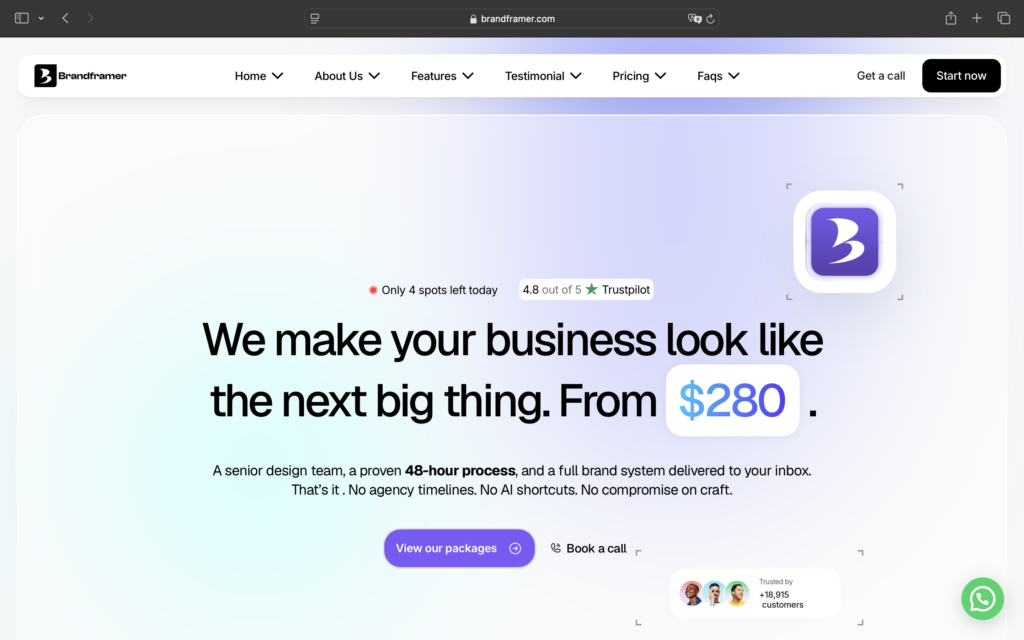
Overview: every other entry on this list asks you to build the identity yourself, with software doing the heavy lifting. Brandframer removes that step. You send a brief, a senior designer who works on brand identity full time builds the logo, palette, type system, and guidelines, and you get a finished package in 48 hours. No AI in the process and no templates.
Pros: A real senior-level designer rather than a generator, a fixed price you know before you start, delivery in 48 hours, and thousands of projects shipped across nearly every industry, so the timeline is routine rather than a rush job.
Cons: not self-serve. You cannot tweak the logo in real time the way you would inside a generator, so you brief once and wait for the result (48h maximum).
Pricing: basic starts at $280, Premium at $480, BrandFramer 360 at $987, all fixed and public. There is no call to schedule and no account manager billing hours in the background, which is most of what keeps the price down. For ongoing creative work after the identity ships, social posts, ad creatives, decks, there is also a pausable subscription instead of a one-time package.
Verdict: the option for a founder who does not want to spend a weekend deciding which of the tools below to open first.
Canva

Overview: Canva remains the default install for teams without a designer on staff. Brand Kit pushes your palette and fonts into every template automatically, so a founder’s fifth Instagram post still looks like it belongs to the same company as the first.
Pricing: Free is genuinely usable, not a stripped-down demo, with over a million templates and a single Brand Kit limited to three colors. Pro runs close to $18 a month and unlocks more Brand Kits and a much larger content library.
Pros: Fast, free tier that actually works, and the whole team can use it without training.
Cons: Template-driven work reads as template-driven work to anyone who has seen a hundred Canva decks.
Verdict: Fine for internal documents, riskier for the one pitch deck that has to feel different from every other startup in the room.
Figma

Overview: Figma is where the identity itself gets built, not just applied. If you ever hire a freelance designer, this is almost certainly the file format they hand you.
Pricing: The Starter plan is free and covers a handful of files, enough for a solo founder to build a logo and a small component library. Paid seats start around $16 a month per editor on the annual plan once a real team forms around the file.
Pros: Component changes propagate everywhere at once, and it is the standard file format most designers already work in.
Cons: A real learning curve for non-designers. A founder with zero design background will spend real hours just learning the interface before touching the brand itself.
Verdict: Essential if anyone on the team designs, skippable if nobody does. Budget the time, not just the subscription.
Adobe Express

Overview: Adobe’s answer to Canva leans harder into social and video, backed by Adobe Stock and Firefly’s commercially safe AI generation.
Pricing: The free tier includes well over 100,000 templates and roughly a million stock assets, which covers most of what a pre-launch startup needs for a landing page or a launch post. Paid plans run under $10 a month and add a bigger font library plus more generative credits.
Pros: A strong free asset library and commercially safe AI generation, which matters for anything customer-facing.
Cons: Weaker for long, multi-page documents.
Verdict: Pair it with something else if the deliverable is a full pitch deck rather than a single graphic.
Looka

Overview: Looka is the most complete of the AI logo generators, producing a logo plus a matching palette, type system, and basic asset set from a short brief.
Pricing: Around $96 a year for the brand kit subscription, and you keep ownership of the files even after canceling.
Pros: Fast, complete output from a short brief, and ownership survives cancellation.
Cons: Generated marks draw on the same visual conventions as every other founder running a similar prompt through a similar model.
Verdict: Treat the output as a fast version one, not the version you would defend in a trademark filing.
Namelix

Overview: Namelix generates short, brandable names from a handful of keywords, with a logo preview so you can judge how a name will actually look in use. It is made by the same team behind Brandmark.
Pricing: Free, with no signup required to start.
Pros: Genuinely good at short, brandable names, and there is no cost to shortlist a dozen options.
Cons: No trademark checking, no availability search. It does one small thing well and nothing else.
Verdict: Worth running before you spend money anywhere else on this list.
Frontify

Overview: Frontify replaces the PDF brand guidelines nobody opens with a living portal that agencies, freelancers, and staff all pull from. It is the most capable tool on this list and, for most startups, the least necessary one right now.
Pricing: Quote-only, scaled by monthly active users, including outside partners who log in even occasionally.
Pros: Solves brand drift properly rather than partially, and external partners stay current automatically.
Cons: Quote-only pricing means a sales cycle, and the model punishes a small team while rewarding a company with genuine drift across multiple external vendors.
Verdict: Worth revisiting once you can name three outside partners who currently use your logo files. Before that point, it solves a problem you do not have yet.
Marq

Overview: Marq sits between Canva’s freedom and Frontify’s governance. A designer builds a template, locks the logo and palette in place, and anyone else on the team fills in text without being able to break the layout.
Pricing: Free plan covers one user with a small storage limit, and paid plans run about $12 a month.
Pros: Cheap for what it does, genuinely stops brand drift in sales collateral, and low training burden.
Cons: A smaller template library than Canva, and less useful if nobody outside the design function creates assets.
Verdict: The cheapest fix for the exact moment a salesperson opens last quarter’s deck and starts moving things around.
Jasper

Overview: Visual identity gets most of the attention, but voice drifts faster because more people write than design. Jasper’s Brand Voice feature captures how a company should sound once and applies it across everything generated afterward.
Pricing: Close to $59 a month per seat on the annual plan.
Pros: Genuinely reduces voice drift across a team, and it grounds output in your actual product facts rather than inventing them.
Cons: A real cost for a single founder, and one seat only on the entry plan.
Verdict: Easy to justify once two or more people write customer-facing copy, hard to justify before that.
Taplio

Overview: For an early startup with no distribution yet, the founder’s own LinkedIn profile often outperforms the company page. Taplio handles scheduling, AI-assisted drafting, and analytics in one place, built specifically around what performs on that platform.
Pricing: Plans start at $39 a month.
Pros: Removes the main reason founders stop posting, and the analytics are solid for the price.
Cons: LinkedIn only, and AI drafts still need real editing to avoid sounding generic.
Verdict: Only pays off if you will genuinely post two or three times a week. The tool removes friction, not the requirement to actually publish.
How fast can each option get you to something usable?
Every tool here advertises speed. Not every tool delivers it once you factor in the learning curve and the decisions a founder still has to make alone.

None of this accounts for the time spent second-guessing the output, which is where most weekends actually disappear. A generator can hand you fifty logos in an hour. Deciding which one is right still takes a point of view, and that part is not for sale anywhere on this list, Brandframer included. The real difference is whether a person with relevant experience helps you land on an answer, or whether you are working it out alone at 11pm before a deadline.
If the deadline is the whole problem, our breakdown of the 48-hour logo design service covers exactly what gets delivered in that window and how the timeline holds up against a real brief.
What branding costs, by route?
Tools are the cheapest line in this entire budget, which is why the tool question matters less than founders expect going in. Here is what each route actually costs against the option most people forget to compare it to: hiring someone directly.

The number worth holding against all of these is what a designer costs to employ directly. The U.S. Bureau of Labor Statistics puts the median annual wage for graphic designers at $61,300, with employment growth projected at just 2 percent through 2034. A tool subscription is rounding error against a salary. Even a full agency engagement is roughly a quarter of one.
That gap is the entire argument for getting version one right without hiring first. Brandframer’s packages start at $280 fixed, which sits closer to a month of a tool subscription than to a designer’s paycheck, and you still get a person who has done this professionally rather than a generator guessing at your brief.
When a tool stops being enough
A tool is enough for as long as one person is making every branding decision and nobody outside the company is judging the result too closely. That changes fast. The moment a fundraise deck needs to hold up next to a competitor’s, or a retail partner asks for packaging files in a format none of these tools export cleanly, the calculus shifts.
Our branding checklist for founders walks through the specific signals worth watching for: positioning clarity, asset consistency across channels, trademark exposure, before you decide you have outgrown the free tier.
And if the honest answer is that you need real strategic input rather than more software, it is worth understanding what a full branding agency actually includes and costs before assuming you need one. Most startups do not, at least not yet.
Frequently asked questions
Which software is best for branding? For producing assets fast without a designer, Canva. For building the identity as an actual system, Figma. For a founder who wants version one without opening any software at all, a fixed-price studio like Brandframer does the job in 48 hours instead.
What is the best tool for branding? If budget is the only constraint, Canva and Adobe Express both do real work for $0 a year, and Figma’s Starter plan is free for building the identity itself. None of them replace a decision about what the brand should say.
Which is the best AI for branding? Looka is the most complete AI branding tool for going from a company name to a full brand kit in one sitting. For naming specifically, Namelix does it for free before Looka becomes relevant at all.
What are effective branding strategies for startups? The strategies that hold up are narrow positioning, one sentence stating who the brand is for and why it is different, and consistency across every channel from day one. No tool executes the strategy for you. It only makes the strategy easier to apply once you have actually decided what you stand for.
Do I need brand management software like Frontify? Not at seed stage. Brand management platforms solve drift, a problem that only shows up once several people or outside agencies are producing material without a designer checking it. Below roughly 20 people, Canva’s Brand Kit or Marq’s template locking covers the same need for a fraction of the cost.
Is an agency or a tool the better choice for a pre-seed startup? Neither, usually. A pre-seed startup rarely needs the research and workshops a full agency sells, and rarely has the internal design skill to get the most out of a raw tool either. A fixed-price identity package sits between the two: version one, delivered fast, without the overhead of either extreme.
Where to start this week?
Write your positioning in one sentence before opening anything on this list. Who the brand is for, what it does, why it is different. No tool fixes a missing answer to that question, and CB Insights’ analysis of 431 startup shutdowns backs that up: 70 percent ran out of capital and 43 percent cited poor product-market fit as root causes. Nobody listed their logo.
Once that sentence exists, pick the cheapest path that actually clears your deadline. Namelix if you still need a name. Canva or Adobe Express if the goal is assets, not a whole identity. Looka if you need a full identity by Friday and have no design help. And if the goal is simply to be done with this decision and get back to the product, that is what the 48-hour route exists for.
Every tool on this list gets you to version one. If you would rather skip straight to the version you keep, get framed in 48 hours.